One glance: Where is it busiest?
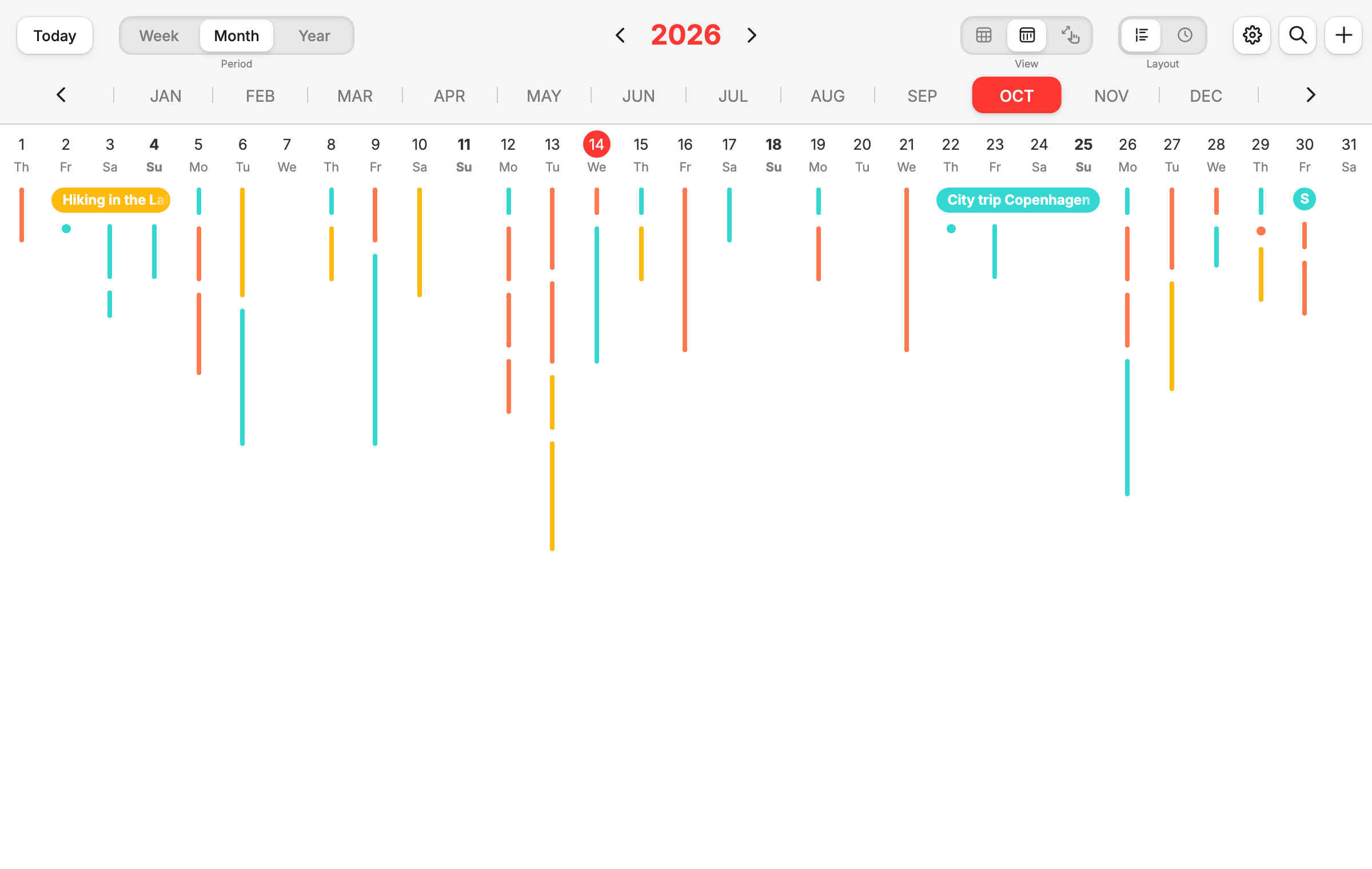
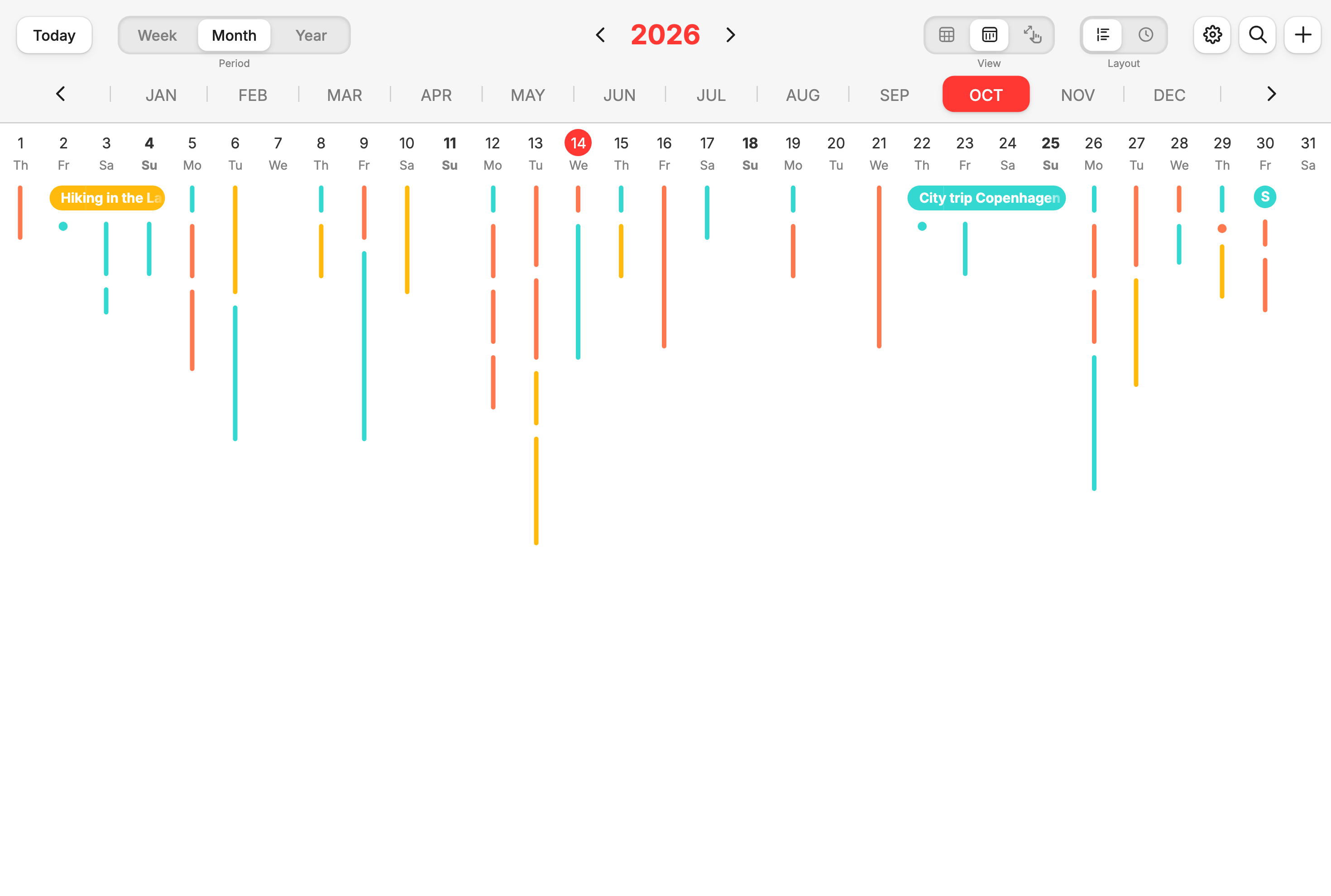
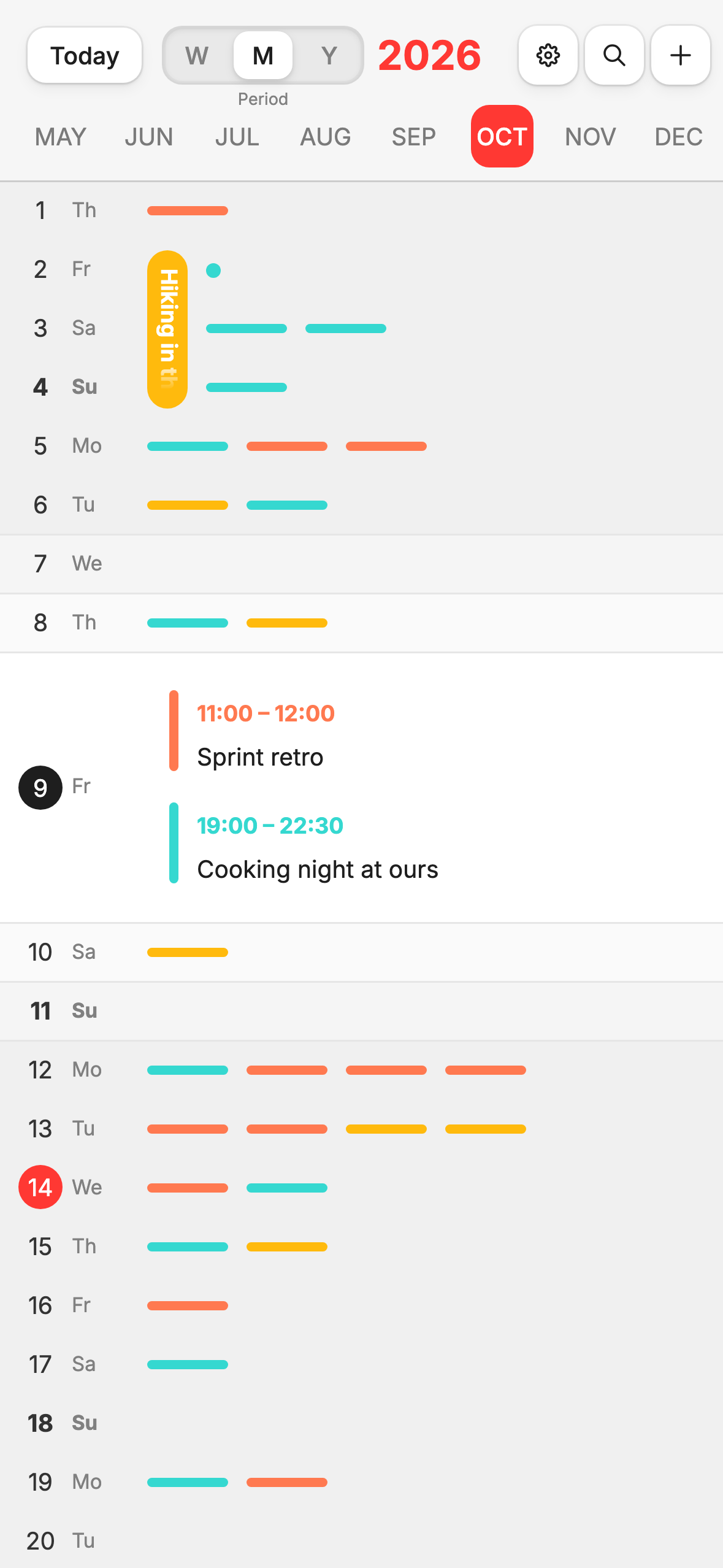
Every event is a line – the longer it is, the longer it lasts. Busy days and free gaps stand out instantly.

 Timeslide
Revolutionary calendar app with a new month view
Timeslide is the calendar app that lays your events out on a timeline. See right away where things get tight and where there’s room – with your iCloud, Google or Outlook calendar.
Free for now · No sign-up · Runs in your browser
Try it out:
Works with the calendar you already have
Overview
Every day a column, every event a line – the longer the line, the longer it lasts. See the whole month at once, without paging.
One slide
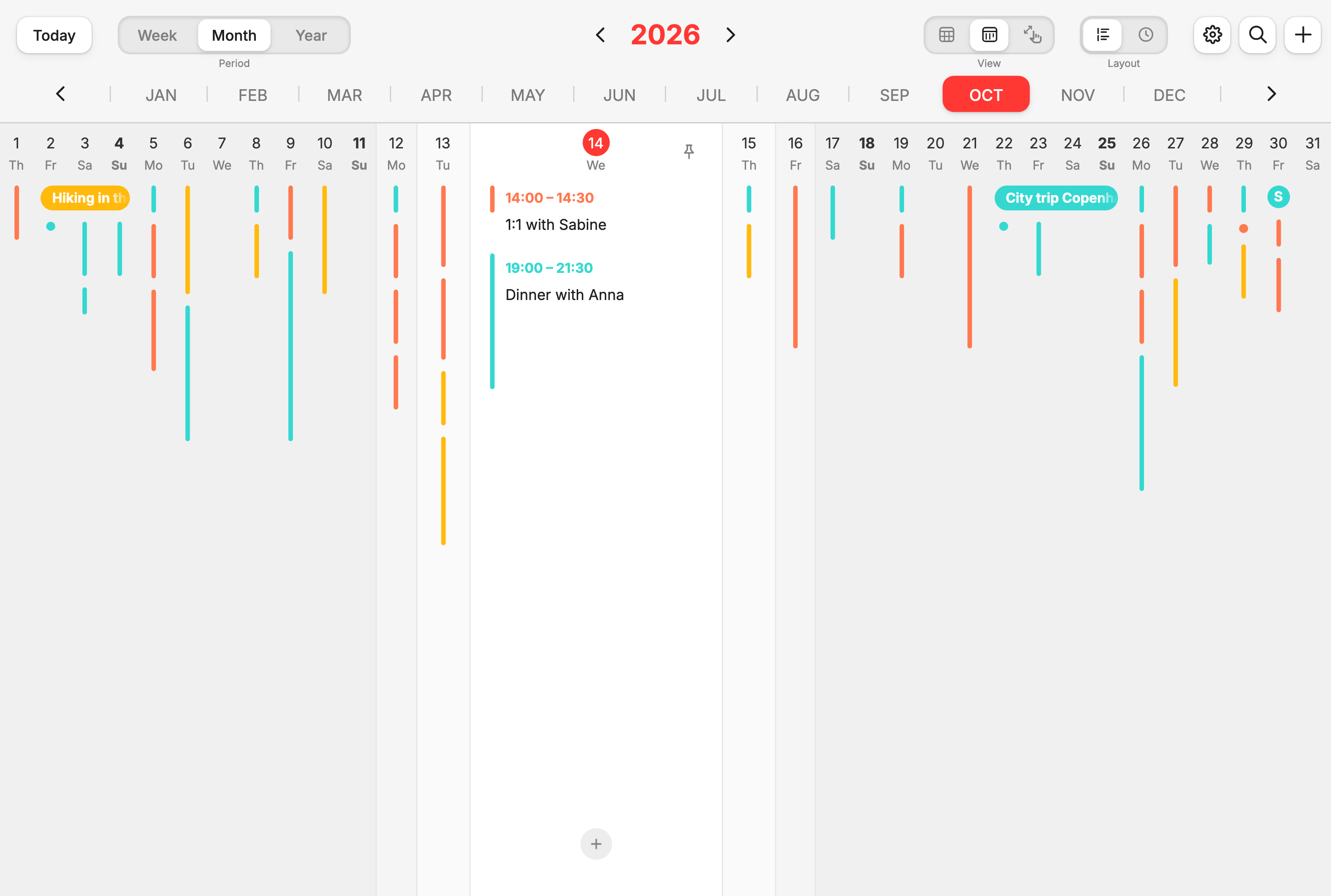
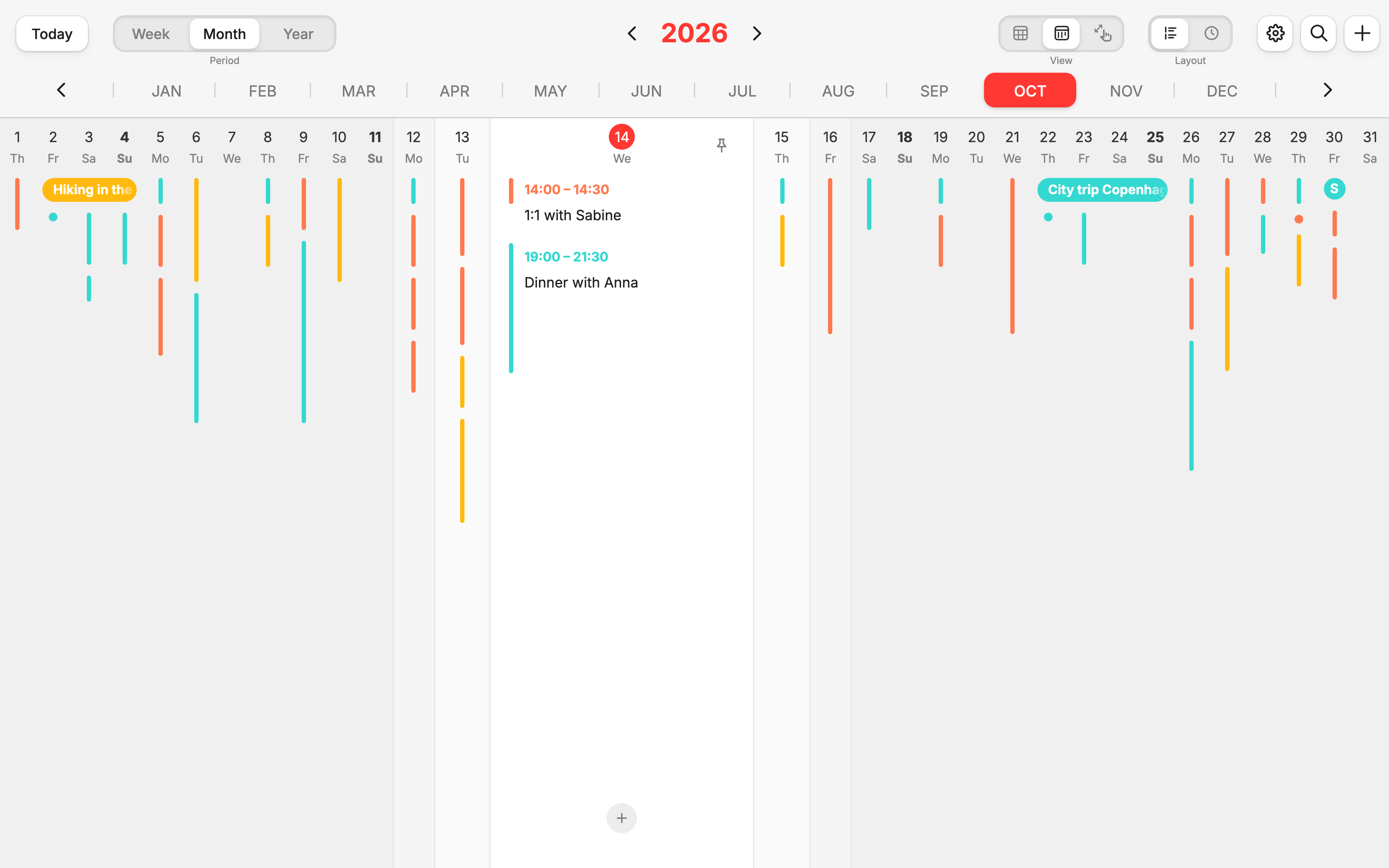
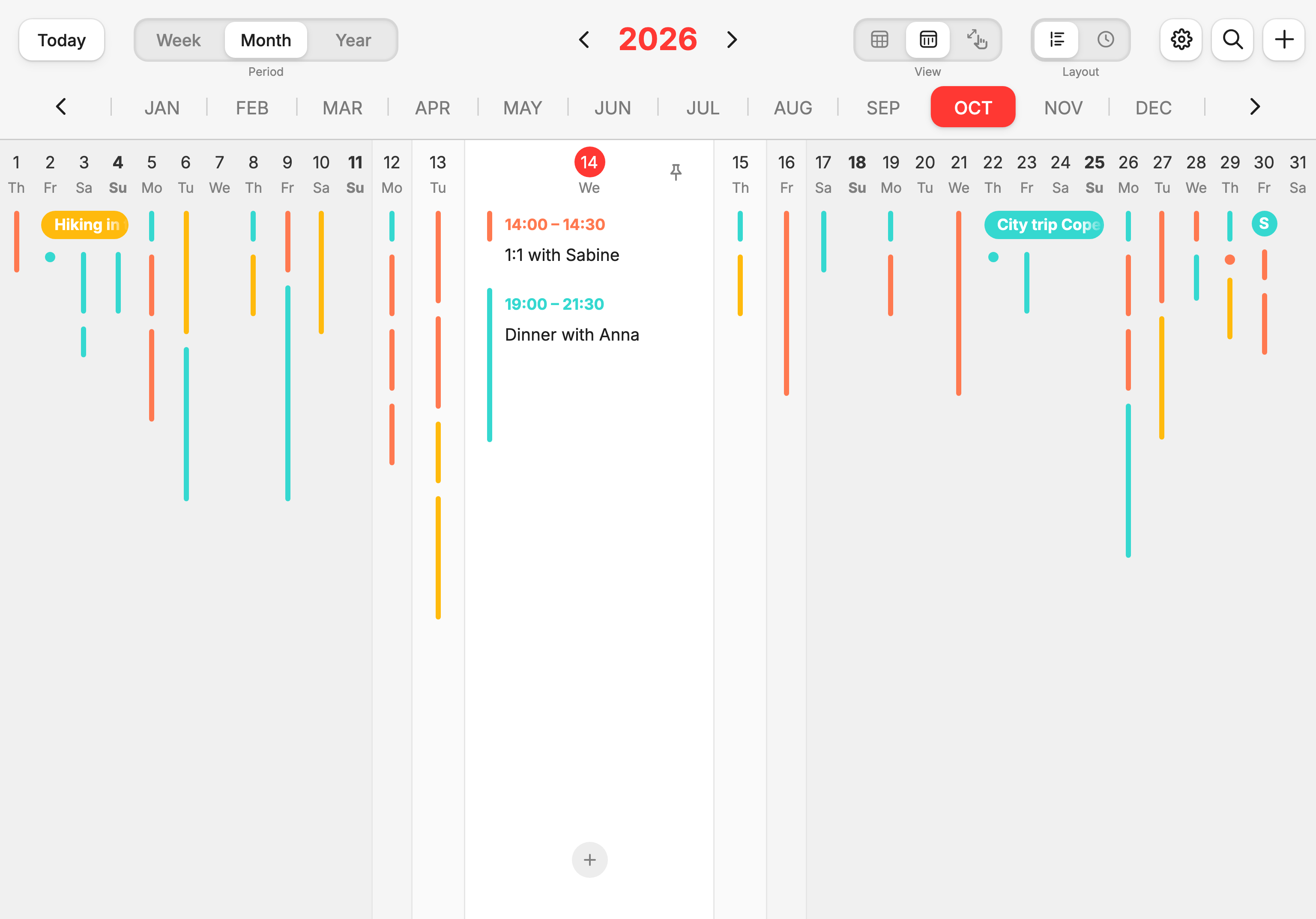
Move across the days: the one under your pointer opens with times and titles, its neighbours widen a little. Like a lens gliding over your month.
Views
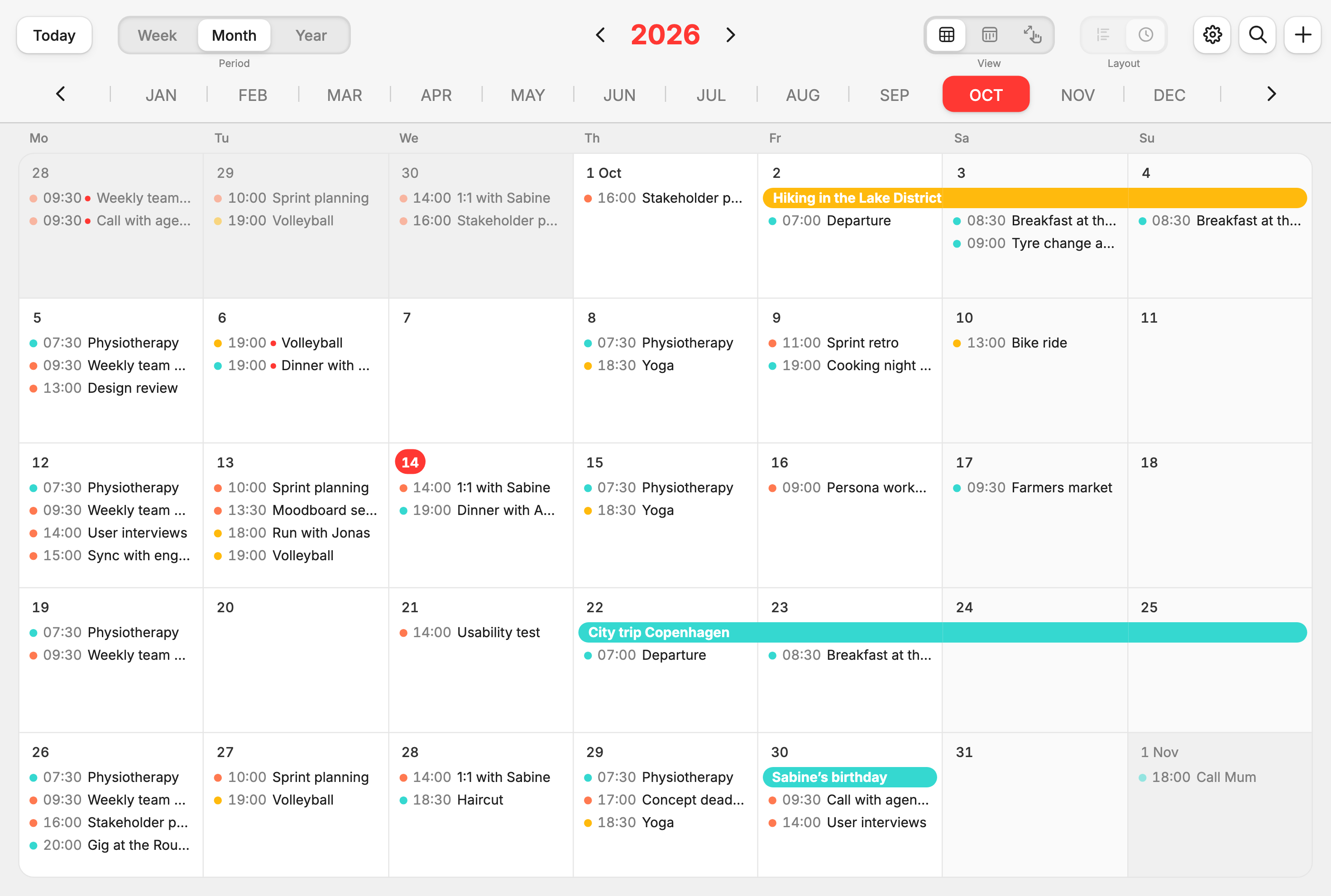
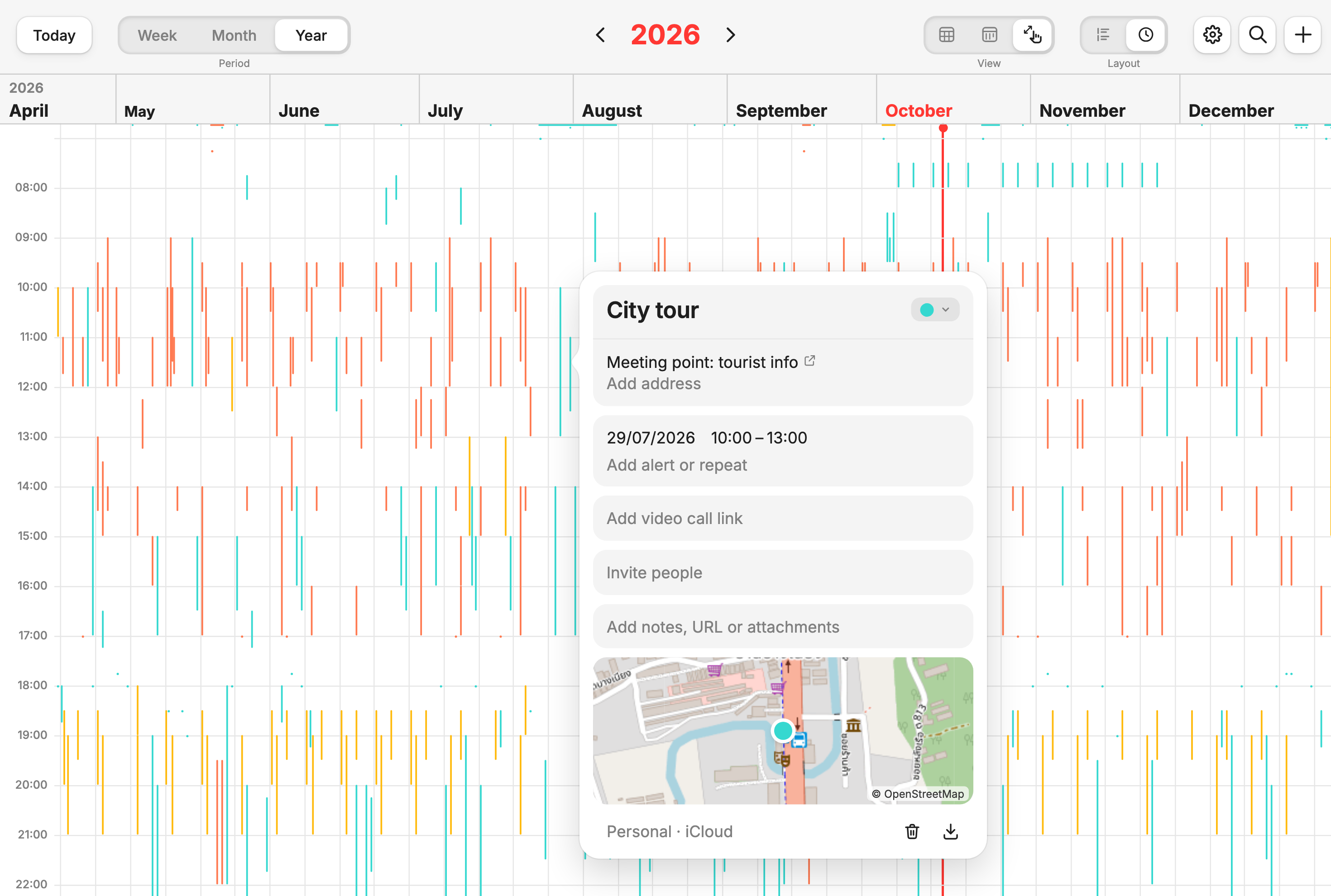
Tiles like a wall calendar, the list for a quick overview – and the zoom: seamless from a week out to the whole year, with a pinch or the scroll wheel. One click at the top right switches.
Layout
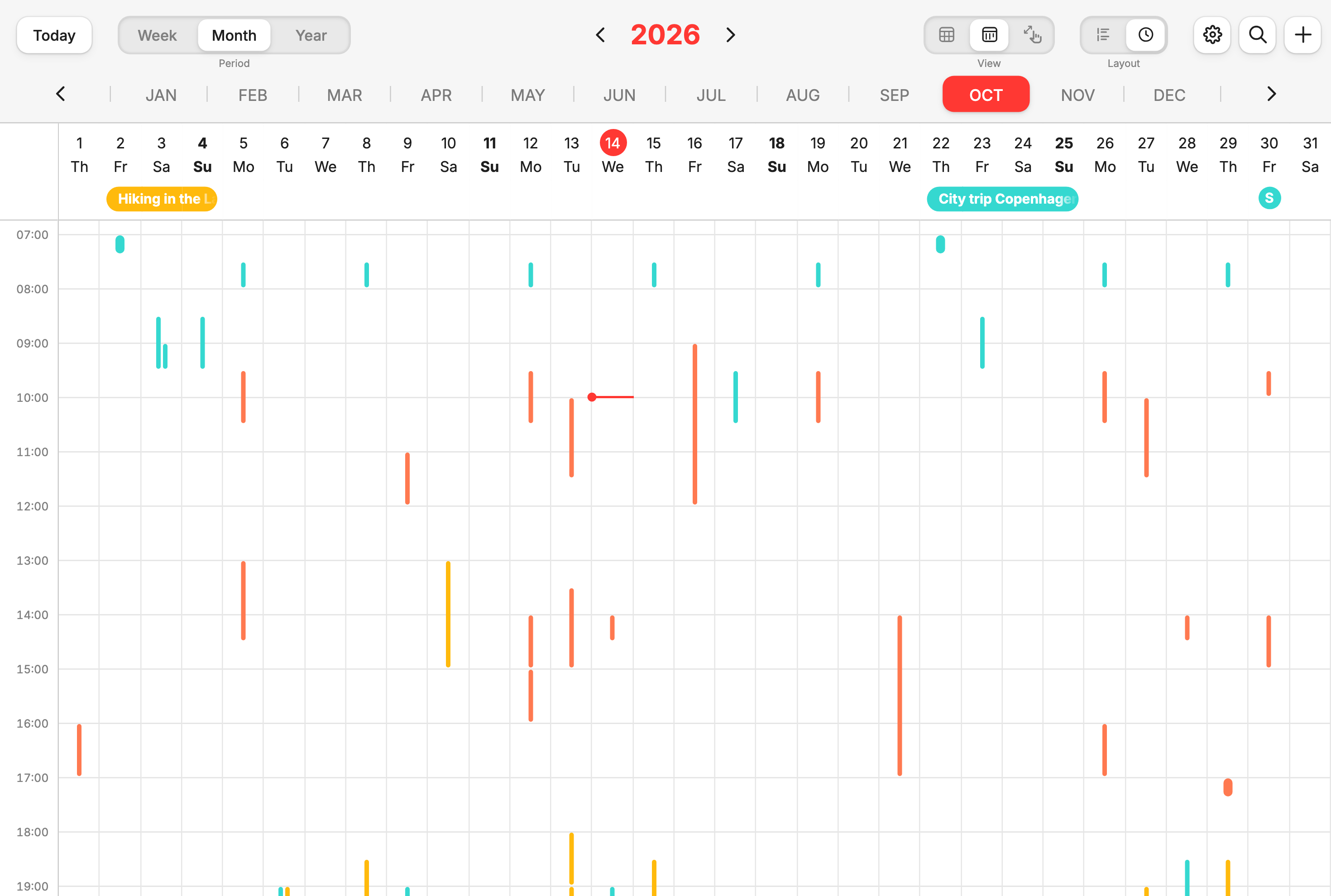
Compact, a day’s events simply sit one below the other. On the timeline every event sits at its time – across the week, the whole month and in the zoom. See not just which day you’re free, but when.
Quick entry
Just write “Client call Thu 2-3pm @Room 3”. Timeslide picks up the day, time and place on its own – in English and German.
That simple
Every event is a line – the longer it is, the longer it lasts. Busy days and free gaps stand out instantly.
The day under your pointer opens up with every event, time and place. The rest of the month stays in view.
Swipe from month to month in the list view – or zoom through weeks, months and years in the zoom view.
Coordinate meetings for others and keep rooms and travel in view – without clicking through ten week views.
See meetings, deadlines and workshops across weeks and spot bottlenecks before they happen.
Client meetings, travel time and personal life in one view. See when there’s room for the next job.
Practice, parents’ evening, dentist, holidays: several calendars in colour, all on one timeline.
Tasks sit as a circle on their day. One click checks them off.
A red dot shows when events get in each other’s way.
Plan the trip before an event – shown as its own block.
Change just this one or all that follow, as you’d expect.
Suggestions as you type and a small map in the event.
Pin one day and put it next to any other.
Copy, duplicate, page, delete – no mouse needed.
Follows your device or your choice.
On your computer with mouse and shortcuts, on iPad and phone with swipes and drags. Light or dark, as you like.
Pricing
Timeslide is free for now. Every feature, every device, no catch.
No. Connect your iCloud, Google or Microsoft calendar. Timeslide shows your events, and what you change goes back to your provider. You can subscribe to public calendars by link.
Nothing right now. Timeslide is free for now – every feature, every device, no catch.
No. Timeslide runs right in your browser. To sync, you only sign in with your calendar provider.
Timeslide runs in the browser on iPhone, Android and iPad. Add it to your home screen and it opens like an app.
Timeslide doesn’t store your events on its own servers. They stay with your calendar provider; your own events stay in your browser.